Why font handling affects the final print
When a print file is opened on another computer, the font used in your layout may not be installed there. If that happens, the software swaps it out for a substitute font and the spacing, line breaks and letter shapes can change. A heading that looked neat on screen can suddenly wrap onto two lines, push a logo out of place, or move text too close to a cut line.
That matters for business cards, flyers, posters, menus and stickers where every millimetre counts. In our Randfontein CBD base, we see this often with urgent jobs for Krugersdorp, Westonaria, Mogale City and Roodepoort where clients need same day digital print and there is no time for layout surprises.
Font handling is not only about looks. It also affects legibility, especially on small print where thin strokes can close up. A typeface that reads well at 12 pt may become weak at 6 pt, and a script font can look elegant on a poster but hard to read on a folded brochure. Good typograpy starts with the right font choices and ends with clean file preparation.
Keep text live when you still need changes
Do not convert everything to outlines too early. Live text is still editable, which means names, prices, dates and addresses can be corrected without rebuilding the artwork. If you are sending a proof for approval, it is often better to keep text live until the wording is final.
That is especially useful for jobs with multiple updates, such as menu layout, form design or brochure layout. If a client in Greenhills spots a spelling change after the first proof, live text saves time and prevents fresh errors from being introduced during manual tracing.
- Use live text while copy is still being approved
- Keep editable files for repeat work and future updates
- Save a separate working file before making any outline version
- Check that font sizes still read well after any correction
When to convert text to outlines
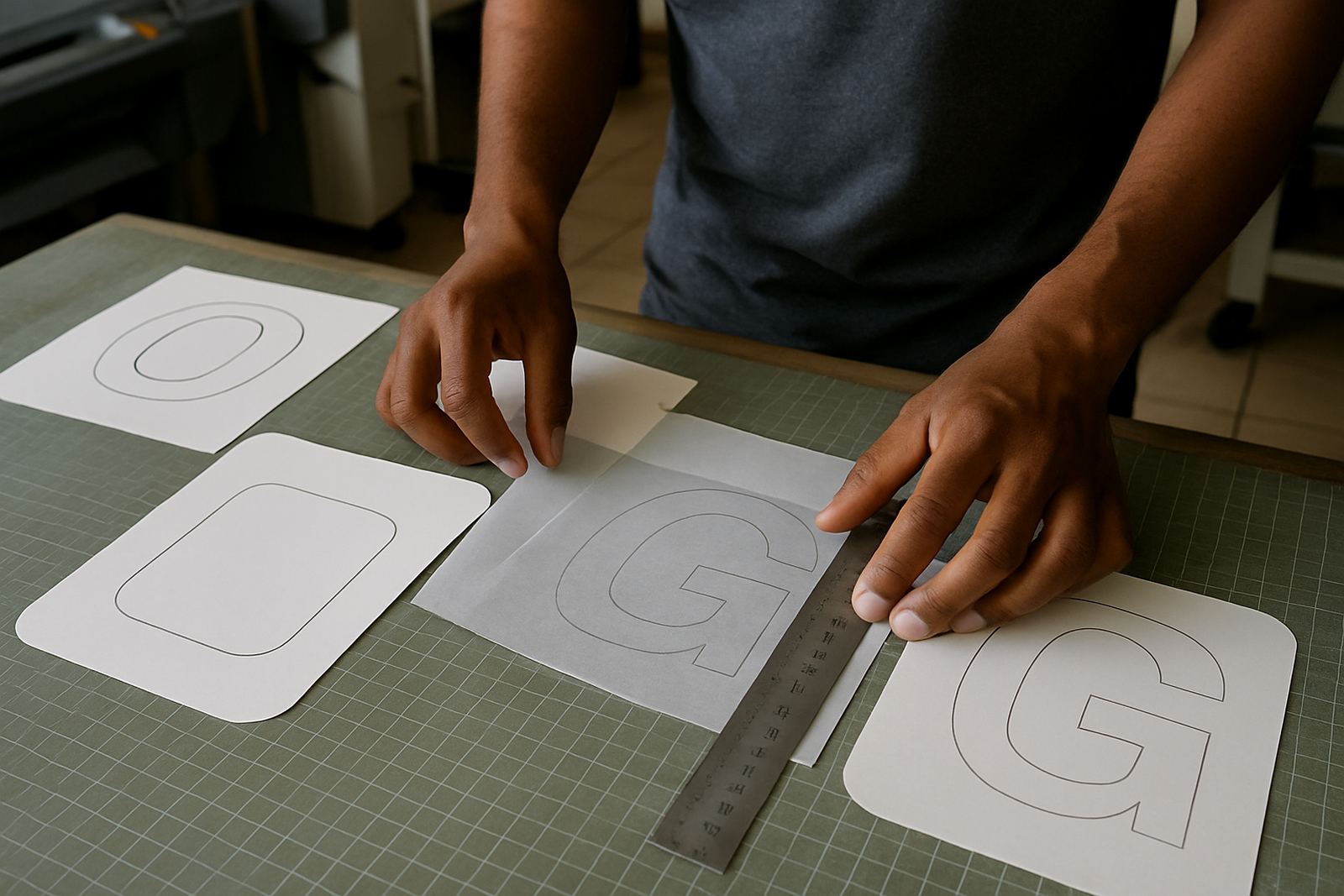
Once the layout is approved and the file is ready for print, converting text to outlines can protect the look of the job. Outlined text becomes vector shapes, so it no longer depends on the font being installed on another machine. That is important for final print files sent between offices, through multiple software setups, or when a proof must be opened during load shedding on a laptop that does not have the same font library.
We recommend outlines for logos, final headings, and any artwork where the exact type shape must stay fixed. This is common on business cards, banners, stickers and posters where the headline is part of the visual identity. If the design uses a special font in a logo, outlining it prevents unwanted substitutions during production.
There is one catch. Once text is outlined, it cannot be edited as text. That is why we always suggest keeping a separate editable file. If a proof needs a last minute amendment, you will want the live version available instead of starting over.
- Convert when artwork is signed off and ready to print
- Outline logos and final display text
- Keep small body copy editable if future changes are likely
- Store both the working file and print file together
Fonts that cause trouble in print files
Some fonts look fine on screen but behave badly in print. Thin hairlines can disappear on coated stock, very light weights can fade against coloured backgrounds, and decorative fonts can lose clarity at small sizes. Script fonts are another common issue because tightly joined letters can fill in, especially on stickers or small labels. On a fast turnaround job, that is the kind of detail that gets missed if nobody checks the proof carefully.
It also helps to think about the surface being printed. A poster on matte paper has different contrast needs from a glossy flyer. A banner viewed from across a street in Mogale City needs stronger letterforms than a folded menu read at arm's length. Choosing the right font weight is as important as choosing the right colour.
If a file includes accented characters, symbols or uncommon punctuation, test them before final output. Some fonts simply do not include every character, and that can leave gaps or strange replacements in the finished artwork.
Practical checklist before you send artwork
A simple preflight check can save time and extra setup costs. It also helps us keep same day digital print moving for businesses in Randfontein, Westonaria and Roodepoort when orders come in close together. Before you send your file, work through a checklist and make sure the typography is ready for production.
- Confirm the final spelling of every word
- Check that all fonts are either supplied or outlined
- Keep 3 mm bleed where the artwork runs to the edge
- Leave enough safe space so text does not sit too close to the trim
- Make sure black text is truly black and not a four colour build unless requested
- Review small type at actual size, not zoomed in on screen
- Export the final file in the agreed format before sending
If you are printing business cards or flyers for a local promotion, ask someone else to read the proof as well. A fresh set of eyes catches a missing word or a date error quicker than the person who typed it. That small pause can avoid a reprint.
How @Print handles font issues on urgent jobs
For quick turnaround work, our team checks font usage before output so the final print file is ready for production. Lerato Ndlovu oversees production flow, Willem van Zyl checks print handling, and Anele Dlamini reviews artwork setup where needed. Bianca Naidoo manages client communication, while Kagiso Molefe looks after finishing details like trimming and folding. That matters when a file arrives late and needs a clean handover without wasted sheets or delays.
If a font is missing, unclear or not suitable for the job, we will flag it before printing where possible. For logo refreshes, flyer design, poster design, banner artwork and sticker design, we aim to keep the layout readable and consistent across all sizes. MD Thabo Johannes Mokoena keeps the business focused on practical service for West Rand clients, from Greenhills to Toekomsrus and Mohlakeng.
Clients can reach us through the enquiry form on our contact page when they need help with print ready artwork, artwork redraws or proofing updates. A clean font setup makes the whole process faster and gives you a better result on press.