
Choose the fold before you start placing content
The fold type decides how the brochure reads. A bi-fold gives you four panels, which suits simple service lists, company introductions and short product summaries. A tri-fold gives you six panels and works better when you need more detail such as prices, step by step instructions, or a stronger sales pitch across a smaller finished size.
Before any layout work begins, decide how the brochure will be used. Will it sit in a reception area in Randfontein CBD, be handed out at a market in Roodepoort, or go into a product pack in Krugersdorp? The answer helps with size, paper choice and the amount of text that can fit without crowding.
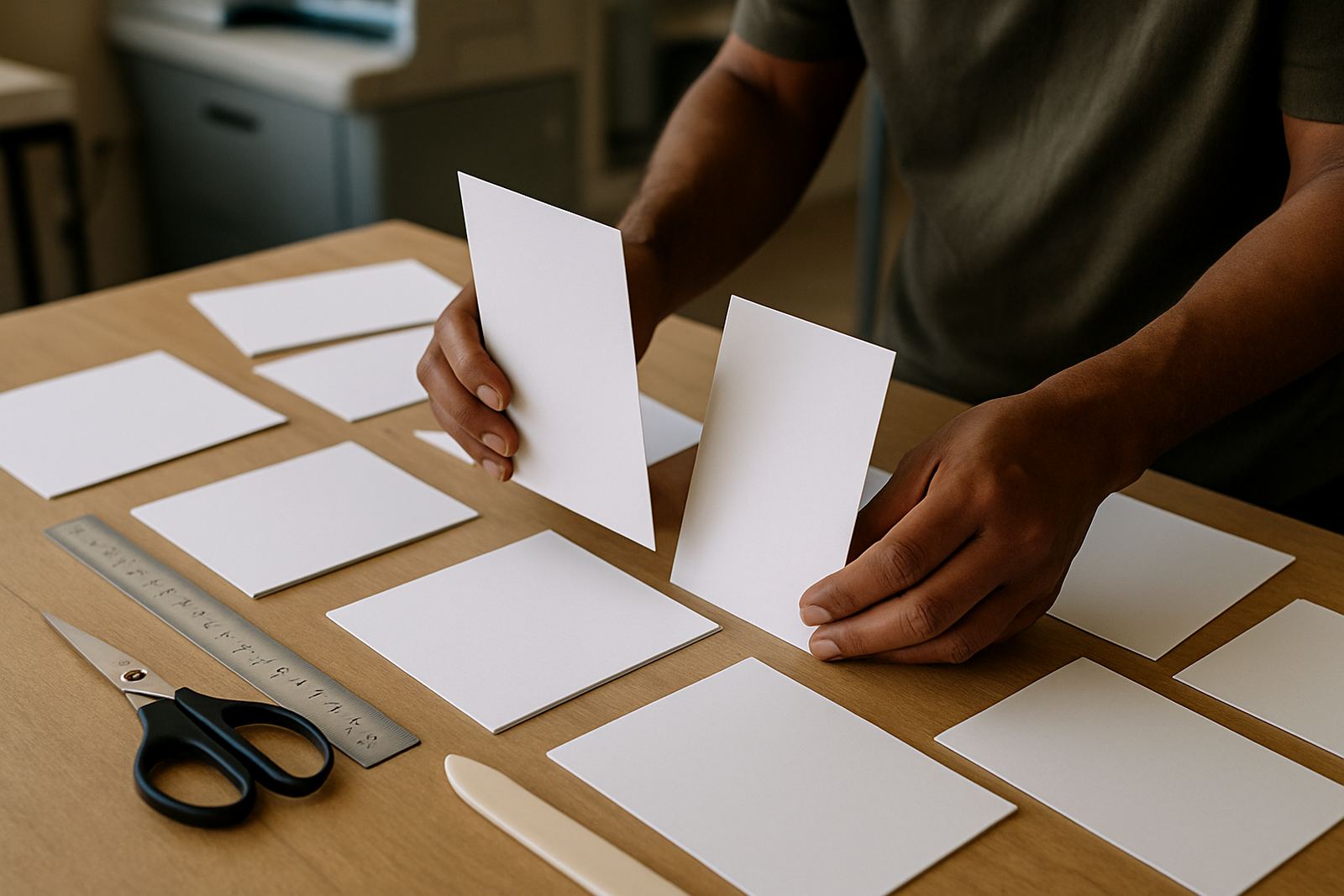
For tri-fold brochures, panel widths are not always equal on every press setup. The inside panel often needs to be slightly narrower so the brochure folds neatly and doesnt buckle at the edge. That small adjustment matters, especially on thicker stock.
Map the reading order panel by panel
Good brochure layout follows a clear reading path. The cover must catch attention, the inside panels must explain the offer in a logical order, and the back panel should close with contact details, a call to action, or company information. If the content jumps around, the reader loses interest before they reach the end.
For a tri-fold, think of the brochure as three panels on the outside and three on the inside. The front cover is usually the first panel people see when folded. The inside spread is where you can place a full message, product comparison or service breakdown. The back panel is often reserved for directions, legal notes, or a short company profile.
- Front cover: headline, image, logo and short promise
- Inside left: background or problem statement
- Inside centre: main services or products
- Inside right: proof points, benefits or prices
- Back panel: contact details, QR code, address or enquiry route
Bi-fold brochures are simpler. Use one side for the cover and short intro, then the inside spread for the main information. Keep the message focused, because bi-fold pieces can feel crowded very quickly if too much copy is forced in.
Keep margins, bleed and folds working together
Brochure artwork needs proper print setup or the folded finish can look untidy. Bleed gives the guillotine room to cut past the edge so colour and images run right to the trim. Safe zones protect text from sitting too close to the fold or the edge where it can disappear into the crease or look misaligned.
As a rule, keep important text at least 5 mm away from trim edges and allow a little extra space near fold lines. Images that cross the fold should be checked carefully because a face, logo or product detail placed across the crease can look split once folded. For heavier stock, the fold line may also need scoring so the fibre doesnt crack.
If the brochure is going out to businesses in Westonaria or Mogale City, it may be handed around a few times before it is read. That means the layout must still look neat after handling. Clean spacing helps more than cramming every panel full.
- Set the correct bleed on all sides
- Keep body text clear of fold lines
- Avoid placing small fonts too close to the edge
- Use high resolution images only
- Check fold direction before export
Match the paper, finish and fold to the job
Not every brochure needs the same stock. A short promotional handout may work well on a lighter coated sheet, while a product brochure for a showroom or clinic may need a thicker stock for a more polished feel. If the brochure will be posted, inserted into a file or given to clients at a counter, thickness and size matter as much as design.
Glossy finishes can make colour stand out, while a matt finish reduces glare and is easier to read under bright office lights. In areas with strong sun or coastal humidity, the paper choice should also support handling and storage. A brochure left in a car or on a shelf near a window can warp if the stock is too light.
When the brochure carries maps, compliance notes or forms, ask whether it must be folded to fit standard filing sizes. A neat fold can make the difference between a piece that gets kept and one that gets tossed aside.
Write for the panel, not for the page
Brochure text has to work in small blocks. Long paragraphs that look fine on a screen can become hard to follow once they are broken into narrow panels. Short sentences, headings and bullet points make the message easier to scan, especially when someone is looking at the brochure while standing at a counter or waiting in a reception area.
Each panel should carry one clear idea. If a panel needs to explain too many things, split the message. A good brochure layout respects the limited space and gives each point room to breathe. That makes the brochure feel more professional and helps the reader remember the offer.
- Use short headings that explain the section immediately
- Break services into categories instead of one long list
- Keep phone numbers, addresses and calls to action consistent
- Leave space for images, icons or proof points
- Read the brochure aloud to catch awkward line breaks
For West Rand businesses with mixed service areas, it can also help to tailor one brochure for walk-in clients and another for mailers. The same content can be reworked, but the layout should suit the audience and the size of the piece.
Check the proof before it goes to press
A folded brochure needs a final proof check before printing. The panel order must be correct, the fold marks must match the intended finish, and all images and logos must be sharp enough for print. A typo in a small panel can spoil an otherwise strong brochure, so read every line carefully.
Also check whether the front cover still makes sense once the artwork is folded. Some designs look impressive flat but lose impact when the brochure is closed. The cover should still stand alone and the inside should flow without confusion. If the brochure includes a map, service list or pricing, confirm that each item sits on the intended panel.
For fast-turnaround jobs in Randfontein and nearby towns, it helps to finalise the artwork early in the day. That leaves time for proofing, corrections and print setup before the run starts. A clean file saves time and reduces the chance of rework.
When in doubt, ask for a print ready artwork check before production. It is easier to fix spacing, panel order or fold direction before printing than after a whole batch has been cut and folded.
Folded brochure layout checklist
Use this checklist before sending your brochure for print. It keeps the layout practical and helps avoid mistakes that show up only after folding.
- Fold type confirmed: bi-fold or tri-fold
- Panel order mapped correctly
- Front cover has a clear headline
- All text stays inside safe zones
- Bleed is set on every edge
- Images are sharp and print ready
- Colours and logos match the brand
- Contact details are current and easy to find
- Proof has been checked line by line
- Final file exported in the correct format
A well planned brochure should read well in the hand, fold neatly and make the business look organised from the first panel to the last. That is the standard we work to for Randfontein, Krugersdorp, Westonaria, Mogale City and Roodepoort clients who need practical print work that does the job properly.